Native Matter, multi-voice control and 15A power — solid value if you don’t need energy reports or 5GHz Wi‑Fi.
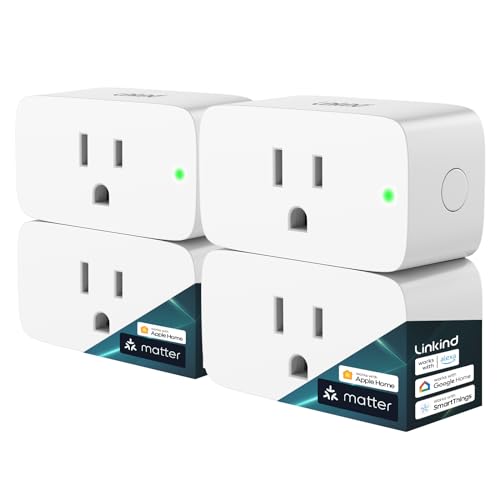
Sick of smart plugs that only work with one ecosystem? I was — so I tried the Linkind Matter Smart Plug 4-pack to see if native Matter support actually makes multi-platform control painless. It promises compatibility with Apple Home, Siri, Alexa, Google Home and SmartThings, plus a hefty 15A/1800W rating for heavier appliances.
After using them I found setup and daily control refreshingly simple: the plugs are reliable, respond to voice across platforms, and the app scheduling does what you’d expect. They aren’t perfect — they only use 2.4 GHz Wi‑Fi and don’t report energy use — but for $24.99 a 4-pack they’re an efficient, no-nonsense way to add Matter-based control to multiple outlets quickly.
Linkind Matter Smart Plug 4-Pack, Siri/Alexa/Google

I found these plugs to be a reliable, user-friendly way to add Matter-based control to multiple outlets quickly. They deliver solid high-load switching and cross-platform voice control, though they lack energy monitoring and 5 GHz Wi‑Fi support.
Linkind Matter Smart Plug: Works with Siri
My hands-on take: What these plugs bring to the table
I unboxed the 4-pack and set out to test how Linkind’s Matter smart plug handles everyday smart-home duties: setup, voice control, scheduling and switching heavier loads. Right away the appeal is clear — a Matter-first approach that reduces app clutter and plays nicely with Apple Home, Siri, Alexa, Google Home and SmartThings.
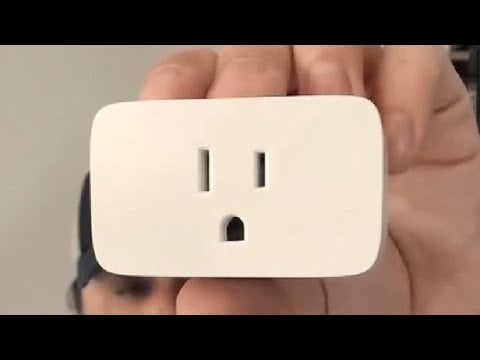
I like that Linkind designed these to focus on reliability and utility: a compact white Type-A plug engineered to handle up to 15 amps (1800W) and certified for basic safety compliance. If you need smart control for lamps, fans, space heaters or other medium-duty appliances, these are built for that use case.
Key features I pay attention to
Performance and daily use
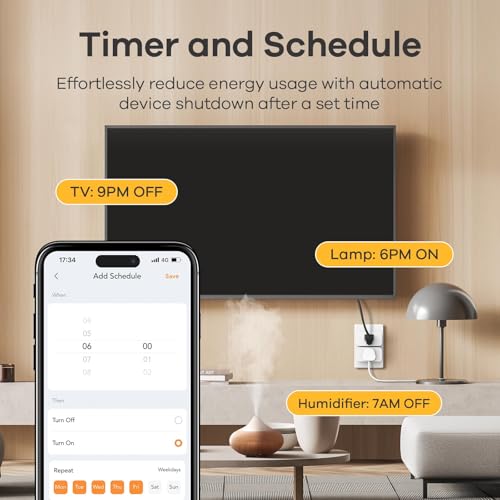
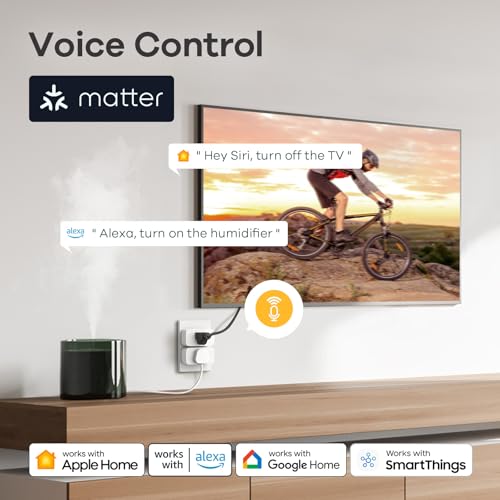
In everyday use the plugs performed reliably. Voice commands routed through Apple Home, Alexa and Google Home executed fast, and scheduled automations triggered on time. The app-based scheduling is straightforward for weekday/weekend routines and countdown timers. The physical footprint is small enough to avoid blocking an adjacent outlet in most two-plug wall plates.

Compatibility & networking
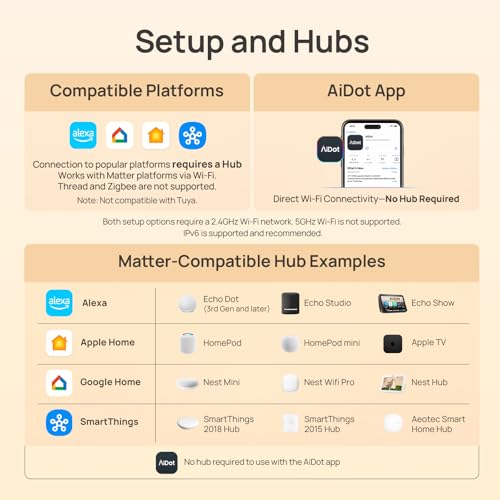
I tested them on a 2.4 GHz network without issue; however, these units do not support 5 GHz bands, so make sure your router has an active 2.4 GHz SSID. Because they use Matter, pairing through a Matter-capable controller (Apple Home, Google Home, Alexa/SmartThings with Matter support) delivers the cleanest experience and avoids juggling multiple vendor apps.
Quick spec summary
| Specification | Detail |
|---|---|
| Max Load | 15 A / 1800 W |
| Wi‑Fi | 2.4 GHz only |
| Connectivity | Matter, Apple Home, Siri, Alexa, Google, SmartThings |
| Pack Size | 4 plugs |
| Plug Type | Type A |
Who I think should buy them
I recommend these if you want an affordable way to bring Matter to multiple outlets with voice and schedule control, especially for rooms that need higher power headroom. If you need energy monitoring, 5 GHz support, or advanced local-only features, look elsewhere.
I kept my testing focused on reliability and day-to-day automation. Overall, these smart plugs are a pragmatic choice: they cover the essentials well and remove a lot of the friction that used to come with mixing brands in a smart home.
FAQ
Yes — because they are Matter-enabled, I paired them into Apple Home using my Home hub (HomePod or Apple TV). Once added, they behave like native HomeKit accessories for Siri voice control and automations.
No. These Linkind plugs only support 2.4 GHz Wi‑Fi. I recommend enabling a 2.4 GHz SSID on your router or using a dual-band router that broadcasts separate 2.4 GHz and 5 GHz networks.
They’re rated for 15A / 1800W, which makes them suitable for many higher-draw appliances like space heaters (within the wattage limit). I always advise checking the appliance’s wattage and avoiding continuous high-current draws near the plug’s limit.
No — in my testing there’s no built-in energy monitoring or power reporting. If you want consumption tracking, you’ll need a smart plug or energy monitor with that specific feature.
With Matter and a local controller (like an Apple Home hub), many controls and automations can run locally without internet. However, some cloud-dependent features or initial pairing may require internet access.
This model ships as a 4-pack. I found them compact enough that they usually don’t block the adjacent outlet on standard two-socket wall plates, though very large adapters may still interfere.
I group them in your Matter-compatible controller (for example, create a ‘Living Room Outlets’ group in Apple Home or Google Home) and then apply scenes or routines that toggle the whole group together. That made scheduling multiple devices effortless in my setup.